Know what's left over — every payday.
Most budgeting apps want your bank login and then bury you in categories. This one asks for two things — what you earn and what you spend — and answers the question you actually have: how much is genuinely mine this pay period?
Or poke around a sample paycheck first — $2,200 in, $420 left over
Free · No account needed to start · No bank connection · Works offline
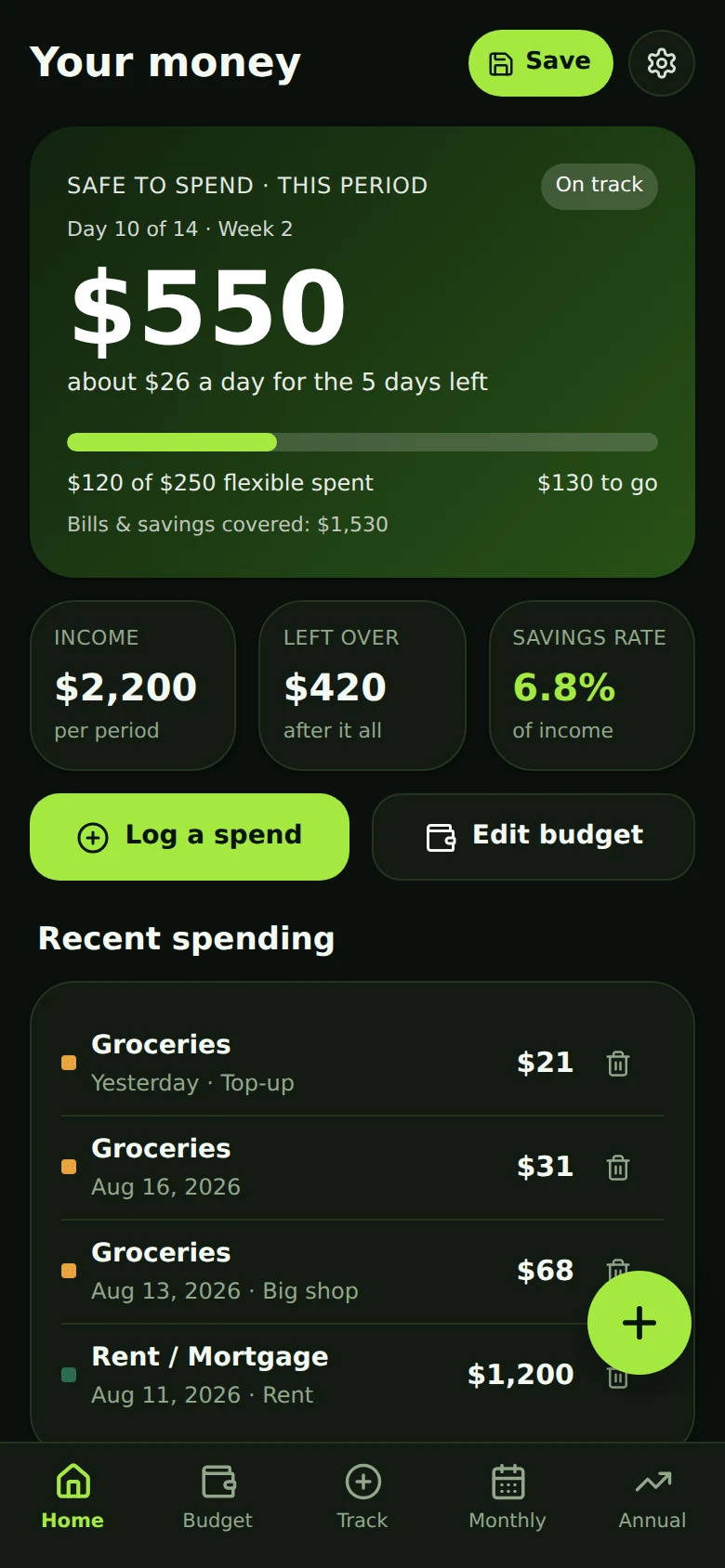
See where your next paycheck is going in 30 seconds.
The clip is the real app, start to finish: four questions, then the number they add up to. Bills come out first, so what's left is money you can actually spend — and it drops the moment you log a coffee, not at the end of the month when it's too late to matter.
- Answer four questions
- See what's genuinely left
- Log a spend in three taps
- Watch safe-to-spend move
- See where the year lands
Two inputs. Everything else is worked out for you.
You never type a number the app can figure out itself. Enter your plan once, log what you actually spend, and the math takes care of itself from there.
Answer four questions
When's your last payday, how often you're paid, what lands in your account, and what goes out no matter what. That's the setup. It ends on your number, not a sample one — about a minute.
Log what you spend
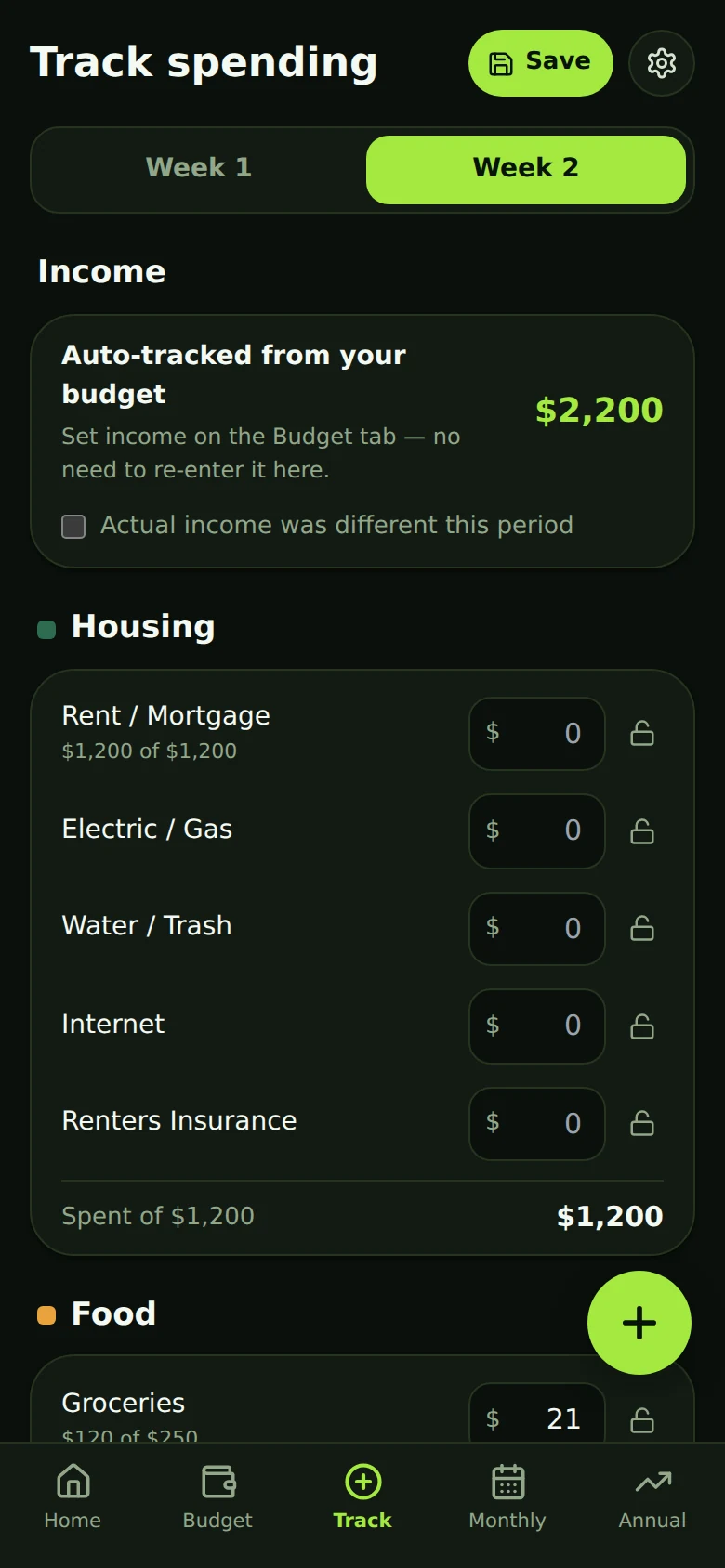
Three taps at the register: the amount, the category, the line. No arithmetic, no hunting for a running total. Income is tracked automatically — you won't be asked twice.
Watch the one number
Safe to spend drops the moment you log a coffee — bills are already set aside — and tells you what that leaves per day until payday.
The three screens you'll use most
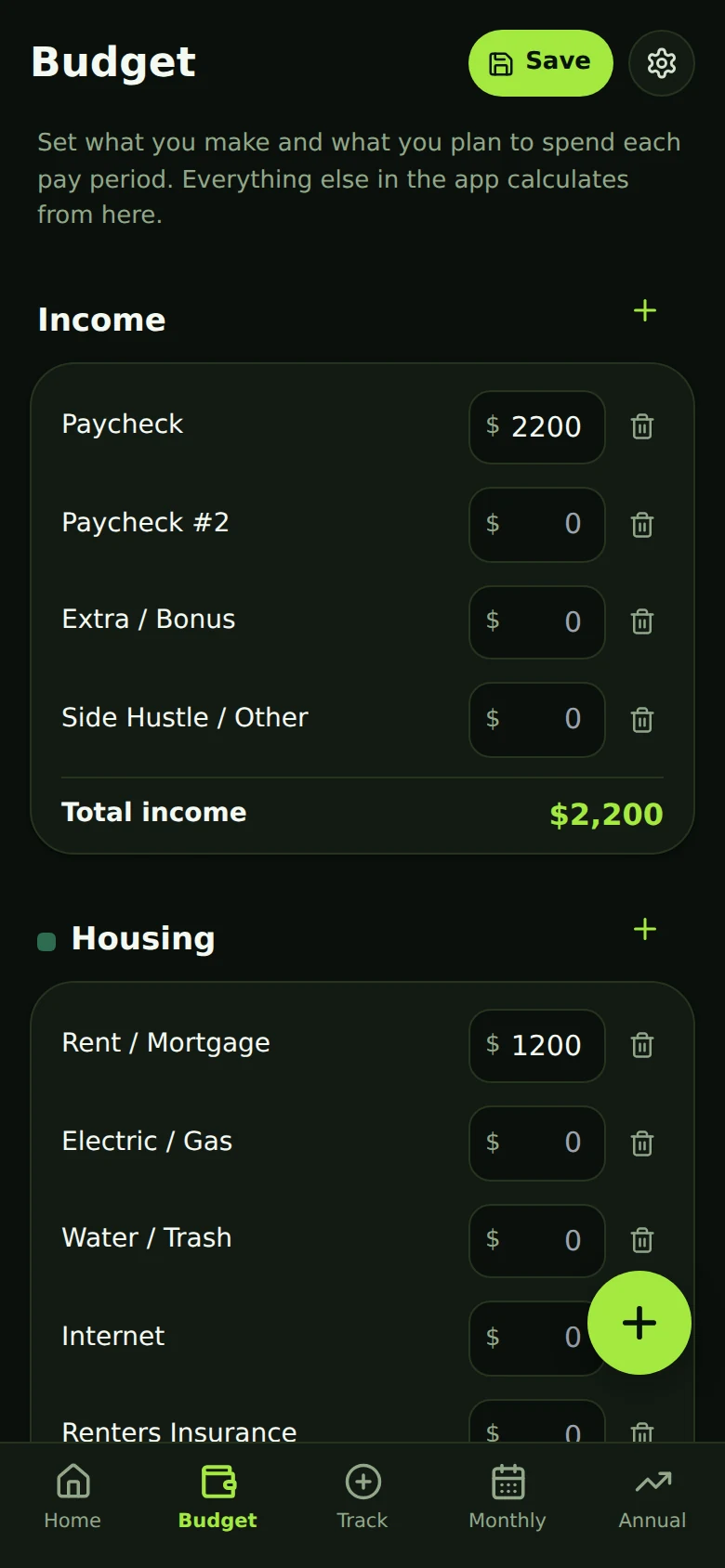
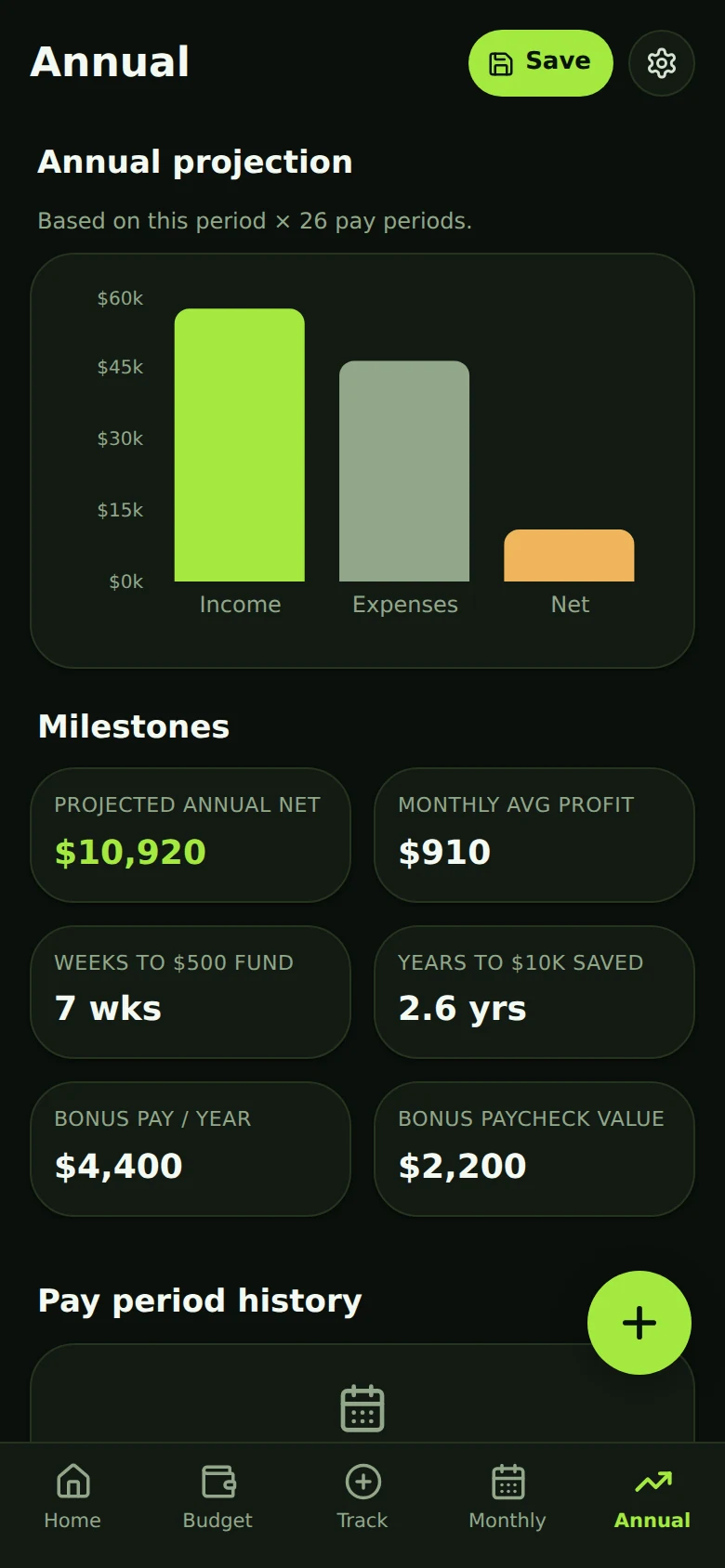
Real screens, exactly as the app looks when you open it. Home is the one in the hero above; Monthly and Annual are the long view — budget-versus-actual by calendar month, and where the year lands.
Built for the paycheck-to-paycheck cycle
Five screens, no clutter. Every one of them exists because the spreadsheet it replaced had a column for it.
Safe to spend
Your bills are set aside first, so the hero number is what's genuinely yours — and it drops the moment you log a coffee, with the per-day figure underneath it.
A real budget
Every income and expense line, per period. Categories total from their line items — no hidden math, nothing left out.
Every spend, remembered
A running list of what you actually bought, not just a total per category. Delete a mistake with one tap and undo it if you meant it.
Periods close themselves
When a pay period ends it files itself into your history automatically. Nothing to remember, nothing to reset.
Savings goals & debt payoff
Set a dollar goal and a savings-rate goal. Add balances to debt lines and see how many periods until they're gone.
The long view
Monthly budget-vs-actual, a trend across your last eight periods, an annual projection, and a plan for bonus paychecks.
What it doesn't do
Just as important as the feature list.
- No bank connection. It never asks for your bank login, because it never needs one.
- No ads, no trackers in the app. No advertising SDKs, no third-party analytics, no tracking pixels. This marketing site counts anonymous visits; the app itself counts nothing.
- Your data isn't the product. Nothing is sold, rented, or shared. Ever.
- Works offline. Your budget lives on your device. An account is optional, only for syncing across devices.
- Your data leaves whenever you want. Export the lot to JSON or CSV in two taps.
- Delete means delete. One button removes your account and its cloud data for good.
Why I built 1st Finance App
I built 1st Finance App because most budgeting tools make money feel more complicated than it needs to be. I wanted a simple way to plan each paycheck, track what was actually spent, and know what was truly left over.
The goal is straightforward: help everyday people make clearer financial decisions without requiring bank access or complicated spreadsheets.

Install 1st Finance App on your phone
It isn't in the App Store or Google Play — it's a web app. Add it to your home screen and it behaves like any other app: its own icon, full screen, no browser bars, and it still works with no signal.
iPhone & iPad
Safari, Chrome, or Edge
- Open 1stfinanceapp.com and tap Open the app
- Tap the Share button — the square with an arrow coming out of it
- Scroll down and tap Add to Home Screen
- Tap Add in the top right
Android
Chrome
- Open 1stfinanceapp.com and tap Open the app
- Tap the ⋮ menu in the top-right corner
- Tap Install app, or Add to Home screen on older versions
- Confirm with Install
On Android you may not need any of this. Chrome often offers a one-tap Install button inside the app itself — it's under the gear icon, in “Add to your home screen”, which also shows these same steps for whichever phone you're holding.
- It stays on your device. Your budget is stored in your own browser unless you choose to turn on sync.
- Synced data is walled off per account. It's kept in Supabase with row-level security, so your rows are readable only by your login.
- You can take it or wipe it. Export everything to JSON or CSV, or delete the whole account and its cloud copy, whenever you like.
Questions
Is it really free?
Yes. Budgeting and cloud sync are both free, and both stay free. A paid upgrade may come later for extras on top — premium themes, deeper insights — but nothing you rely on today moves behind a paywall.
Do I need to create an account?
No. Open it and start budgeting — everything is stored on your device. An account (email and password) exists only if you want your budget to sync between your phone and your laptop.
Do I have to be paid every two weeks?
No. Bi-weekly is the default because that's the rhythm it was built around, but you can set it to weekly, or to “by the job” if your income is irregular — in which case it projects from a rolling average of your recent periods.
Is there an iPhone or Android app to download?
Not in the app stores yet. It's a progressive web app, so you open it in your browser and can add it to your home screen — after that it opens full-screen and works offline, just like an installed app. Here are the steps for iPhone and Android. Store versions may follow.
How does it handle those months with three paychecks?
It expects them. Monthly figures are shown at both the normal and the bonus paycheck count, and there's a suggested split for the extra one — 50% at debt, 30% to savings, 20% for you.
Does the debt payoff estimate include interest?
No, and deliberately so. It divides what you owe by what you pay each period, so it's a floor rather than a promise. Real payoff with interest will take longer.
Is it financial advice?
No. It's a planning and record-keeping tool that does arithmetic on the numbers you give it. Decisions are yours, and important figures are worth checking against your bank.
Start with this pay period.
It takes a few minutes to enter your plan. After that it's a couple of taps a day, and you always know where you stand.
Plan today. Breathe easier by Friday.